We are excited to announce Organizations in HYVOR, which allows you to easily manage team members, billing, and contracts across HYVOR products.
Why the change?
Previously, the resources across all HYVOR products (websites in Hyvor Talk, blogs in Hyvor Blogs, newsletters in Hyvor Post, etc.) were owned by a user who also managed billing within his account. This caused problems like,
Ownership Issues - If the account owner left a company/team, migrating resources was a manual and complex process.
Billing Issues - Subscription management was locked to a single user, making it hard for finance departments to manage payments and access related data.
Roles Management Issues - Inviting team members was handled by each product separately. This made collaboration harder for teams that use multiple HYVOR products.
“Organizations” help solve these problems.
What is an Organization?
Think of this as a shared workspace for all HYVOR products you use. For example, instead of a single user owning a blog, the organization owns it. Generally, a company or a person would maintain one organization within HYVOR, while you have the option to have multiple organizations if needed.
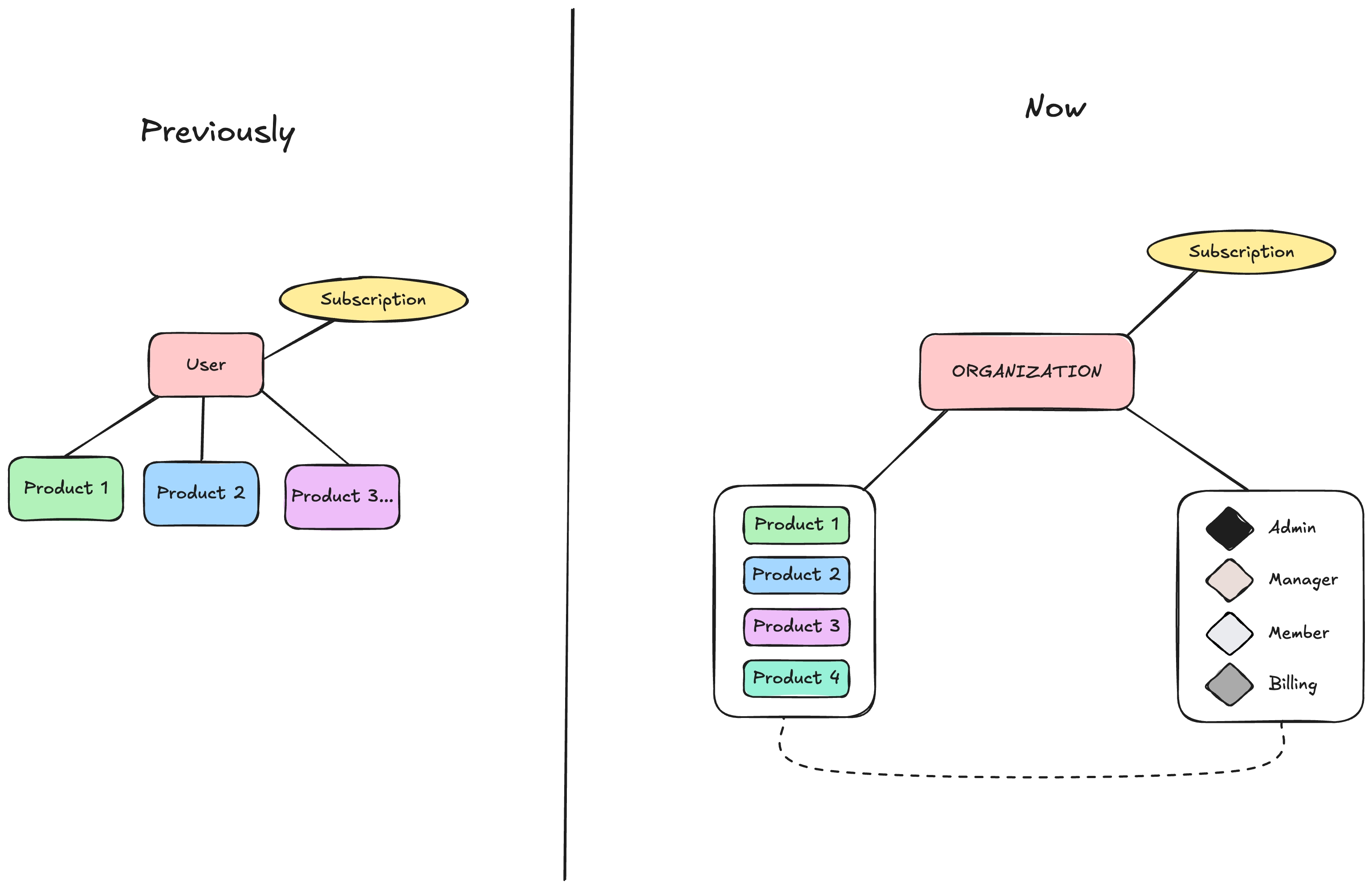
This gives you an easy, clear approach for:
Centralized Billing - One subscription for the entire organization.
Role-Based Access Control - You can now assign specific roles to team members to ensure everyone has exactly the access they need.
Easy Product Access - Members of your organization can access products directly (e.g., create a blog in Hyvor Blogs) under your organization and can collaborate with other members.
What are the roles?
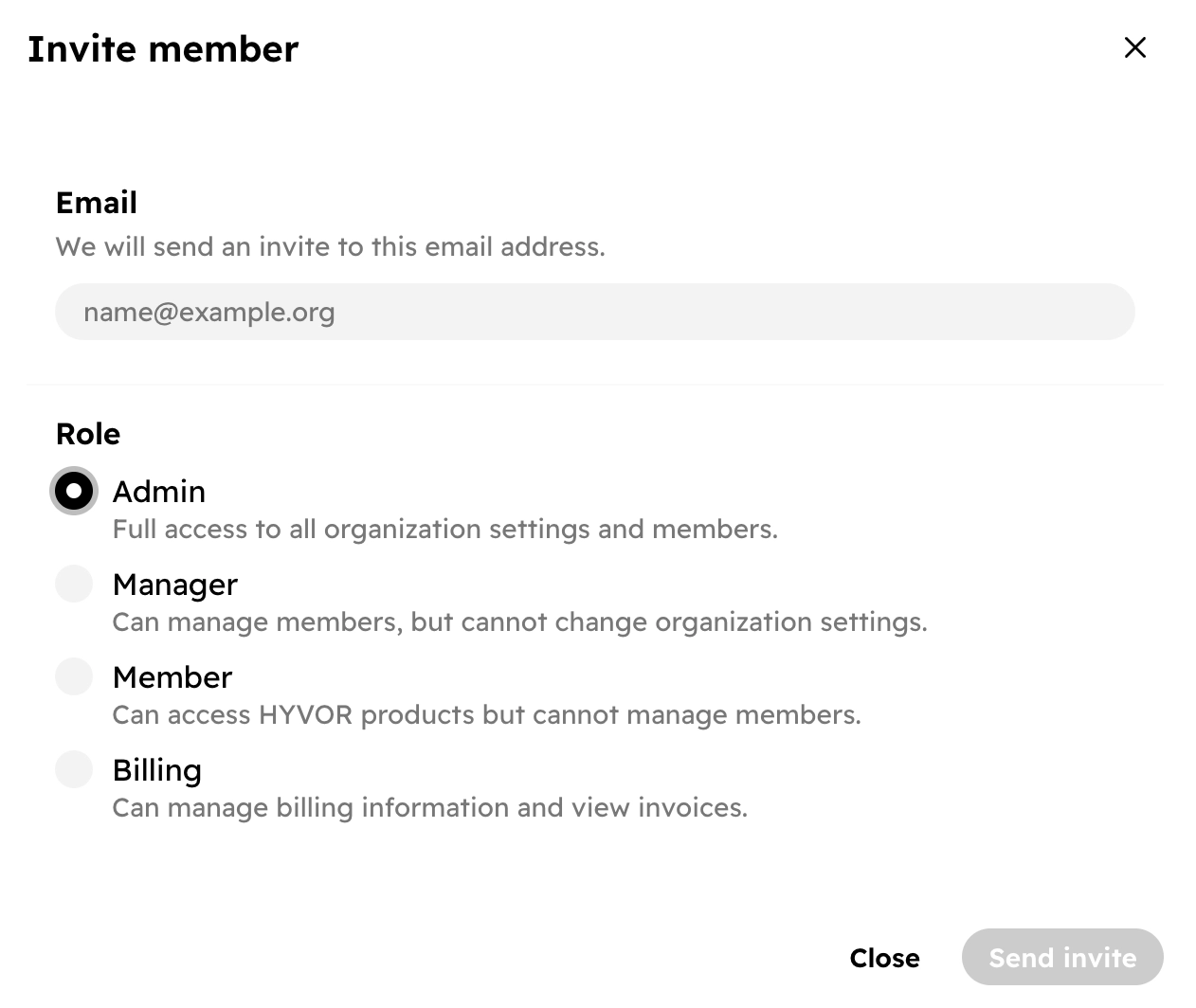
You can invite members to your organization and assign them specific roles. The available roles are,
Roles | Permission |
Admin | Full access to all organization settings and its members |
Manager | Can manage members, but cannot change organization settings |
Member | Can access HYVOR products, but cannot manage members |
Billing | Can manage billing information and invoices |
Note: Each HYVOR product has its own role-based access control system. The member who creates a resource is generally an "admin" of that resource and can add other members with varying roles.
How Did We Migrate?
We’ve made the transition as smooth as possible. Here is what you need to know.
For each user who had a resource in at least one of our products, we have created an organization named “
your_username’s Organization.”Billing data (address, payment method, etc.) has been copied to the newly created organization.
All team members in all the resources (websites in Hyvor Talk, blogs in Hyvor Blogs, etc.) have been added as Members (least privilege) to the organization.
You can find your organization on the HYVOR bar.

Organization switcher in the HYVOR bar You can rename this organization in your console at any time to match your company or project name. This is a recommended step for businesses.

Editing the organization’s name If you were the account owner, you are now the Admin of the organization.
Existing team members have been migrated as Members of the organization.
Other New Features
Alongside Organizations, we are thrilled to introduce several other updates.
Documents

We’ve added a new Documents section in the console to help you access all the important documents like NDAs, DPAs, Enterprise contracts, etc.
Enterprise Contracts
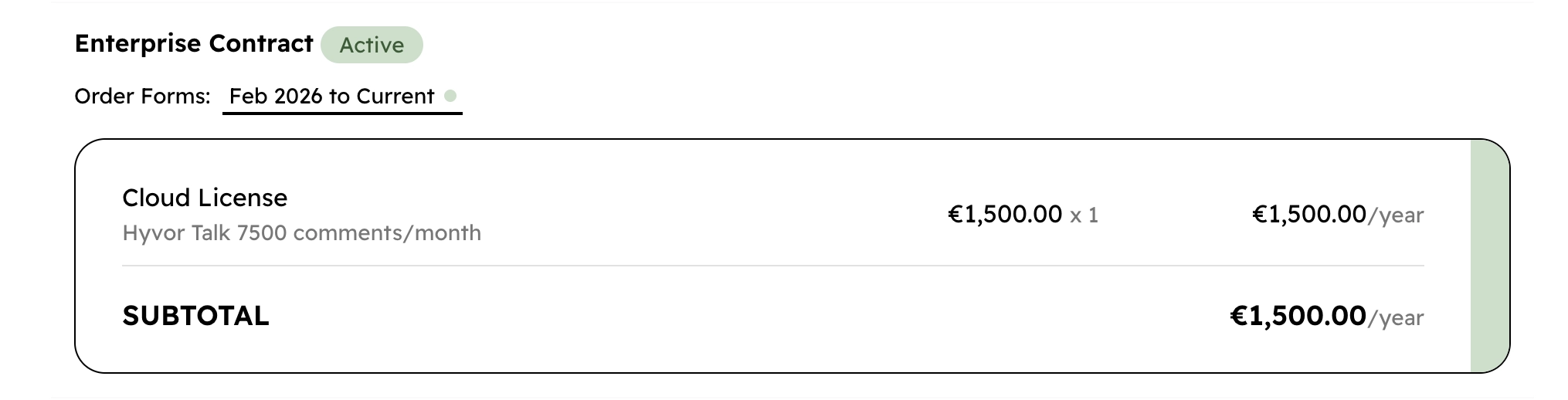
Those who have enterprise contracts with us can now see an overview of the contract from the console easily.
FAQ
Does this affect pricing? No, the subscriptions stay the same. Previously, we billed a single user's account; now we bill an organization. Multiple users can manage the organization's billing details at hyvor.com/account/org/billing.
Can I have multiple organizations? Yes. You can create as many organizations as you need; for your company, for your personal projects, etc. You can easily switch between them using the organization switcher in the top navigation bar.
How do I invite my team members? Admins and Managers can invite members by navigating to the Organization > Members tab at hyvor.com/account/org. Simply enter their email address and assign them an Organization Role. They will receive an invitation to join. Then, you can add those members to any resource in HYVOR directly.
Can all members of my organization access all resources under my organization? No, only the members whom you add (very easy to do in the product Console) can access that specific resource.
What is the difference between an Organization Role and a Product Role? Organization Roles (Admin, Manager, Member, Billing) control who can manage the “container,” its members, and payments. Product Roles (like an “Editor” in Hyvor Blogs) control what a user can do inside a specific resource.
You can be a “Member” of the Organization, but an “Admin” of a specific blog.
Is there a limit to how many members I can add? You can add any number of members to your organization.

Comments