Rules
Rules can be used to automate the moderation of comments. Go to Console → Settings → Rules to manage rules of your website.
How rules work
Think of rules as an if condition.
Types
Hyvor Talk has the following rule types:
stringstringstringnumbernumbernumbernumberValue
A value is given by you to match with the data of that type. If the match is successful, the given action will be executed.
All the numerical values should be equal to or greater than 0.
String values allow you to define multiple comma-separated values. Each value can contain any
valid PCRE regex. However,
if you use regex, limit it to basic regex, such as *, ., and [0-9], to avoid conflicts. String matching is case-insensitive. Examples:
hello- matches if the value ishellohel.*- matches if the comment contains a word that starts withhelhello,hi- matches if the comment contains the wordhelloorhi
Action
There are 4 actions for each type.
- Keep pending
- Mark as spam
- Delete
- Publish
See moderation docs to learn more about comment statuses.
Priority
Rules are executed on each comment based on the priority. High priority rules will be executed first. If a rule is matched and the action is called, the other rules are ignored.
Examples
Here are some common use cases of moderation rules.
- To keep a comment pending for moderation when it contains one or more links
- Type: Comment link count exceeds
- Value: 0
- Action: Keep pending for moderation
- To automatically delete a comment when it gets more than 5 flags
- Type: Flags exceeds
- Value: 5
- Action: Delete
Monitoring
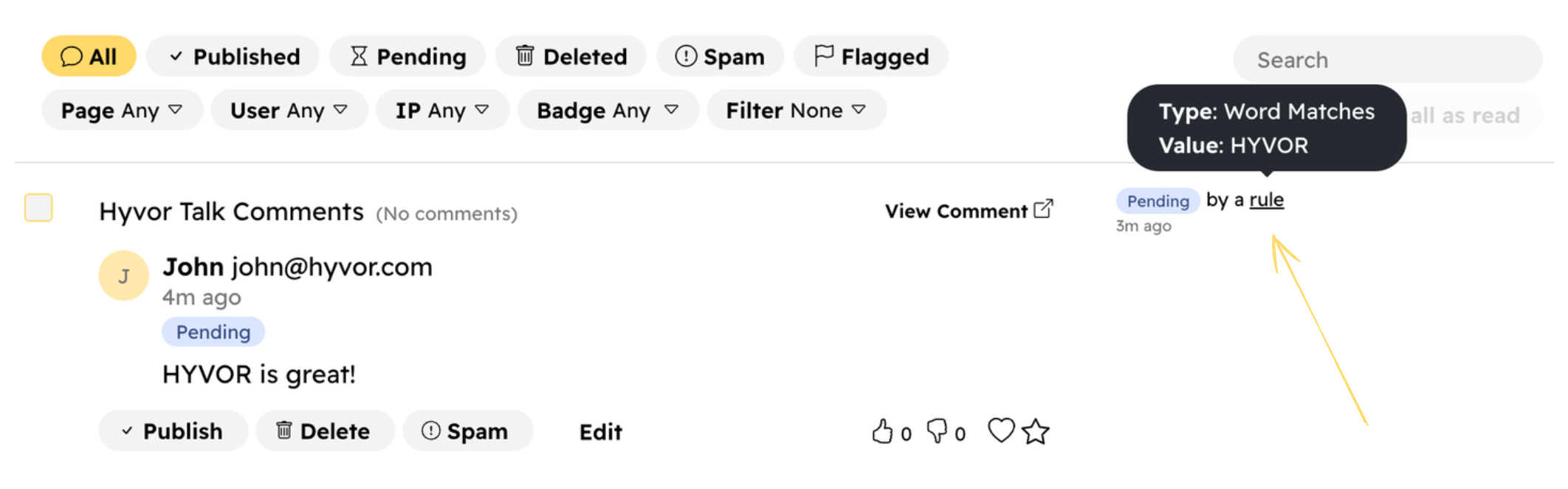
When a comment matches a rule, we keep a record of it. You can see these in Console Comments section along with each comment.