Comment counts
Comment counts are a great way to give your users a sense of engagement and activity on your pages. They are usually displayed on an index page, such as a blog post list, or at the top of the post itself with a link to the comments section.
How to add comment counts
- Add
<hyvor-talk-comment-count>elements to the places you need comment counts. Make sure to setpage-idto the page-id of the page you want to display the comment count for. Note that if you have keptpage-idempty in the comments embed, the page ID will be the canonical URL of that page.<hyvor-talk-comment-count page-id="page-1"></hyvor-talk-comment-count> <hyvor-talk-comment-count page-id="page-2"></hyvor-talk-comment-count> - Add the following script to the end of your page:
<script src="https://talk.hyvor.com/embed/comment-counts.js" type="module"></script>
<script>
    hyvorTalkCommentCounts.load({
        "website-id": 0000
    })
</script>
Make sure to replace
0000with your website ID. Note that all<hyvor-talk-comment-count>elements must be added before this script.
Attributes
<hyvor-talk-comment-count> component has the following attributes:
page-idpage-id of the page you want to display the comment count for. Learn more.window.location.hrefwebsite-idwebsite-id in the load functionmodewebsite-id in the load functionText or number
By default, the comment count is displayed as text (Ex: "10 comments"). You can change this to
display the comment count as a number by setting the mode attribute to number.
<hyvor-talk-comment-count page-id="page-1" mode="number"></hyvor-talk-comment-count>

<!-- This will display the comment count as a number -->
<!-- Ex: 10 -->
Custom text
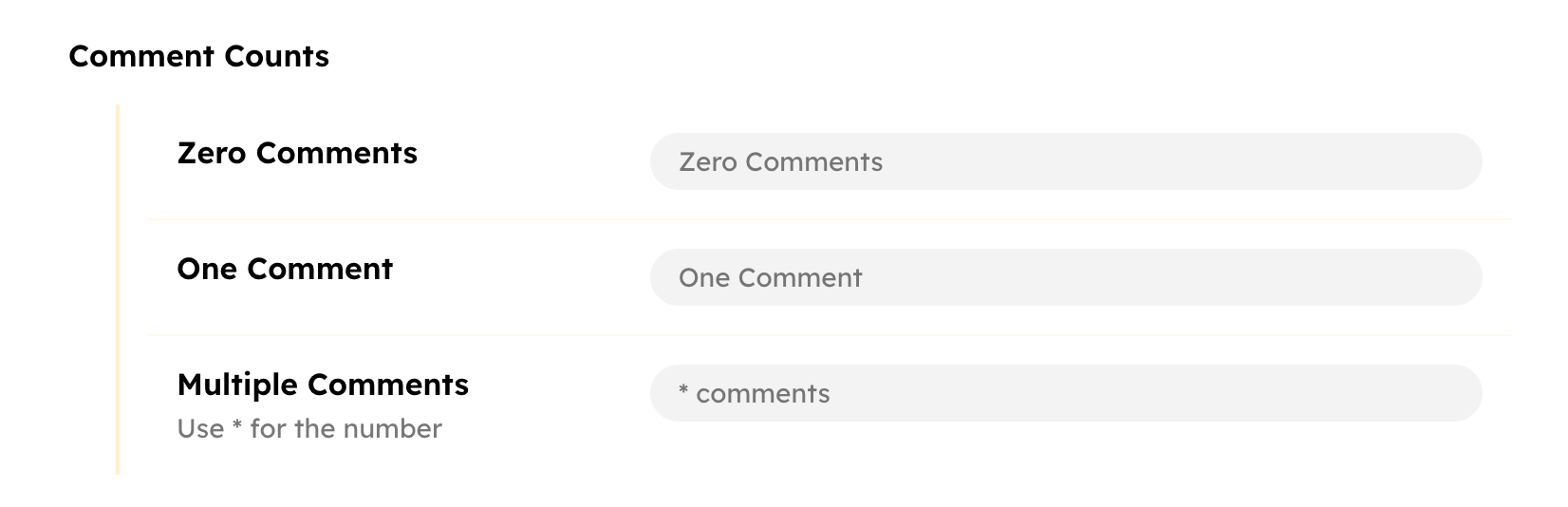
You can change the comment count text at Console → Settings → Comments → Comment Counts.
Language
In mode="text", the texts are shown in the website's language by default. However,
you can set a custom language for the comment count text by setting the language attribute. You can find the list of supported languages in the language page.
<hyvor-talk-comment-count page-id="page-1" language="fr"></hyvor-talk-comment-count>

<!-- 10 commentaires -->
You can also set mode and language in the load function to add
it to all the comment counts in the page.
hyvorTalkCommentCounts.load({
	'website-id': 0000,
	mode: 'number',
	language: 'fr'
});
Custom formatting
Sometimes, you may want to dynamically calculate the displayed comment count text. To do that you
can use the second parameter of the load function. It takes a function that takes the comment
count as a parameter and returns the text to be displayed.
hyvorTalkCommentCounts.load(
	{
		'website-id': 'xxxx',
		mode: 'text',
		language: 'en'
	},
	function (count, el) {
		return count + ' comments in total';
	}
);
In the function,
countis the comment count. This is a string if themodeistext- a number if themodeisnumber.elis the<hyvor-talk-comment-count>element.